
What is Windows Virtual Desktop? Examining the benefits and getting to know the reasons for use
November 8, 2024
What is Microsoft System Center: introducing the types of System Center, getting to know the features and benefits
November 23, 2024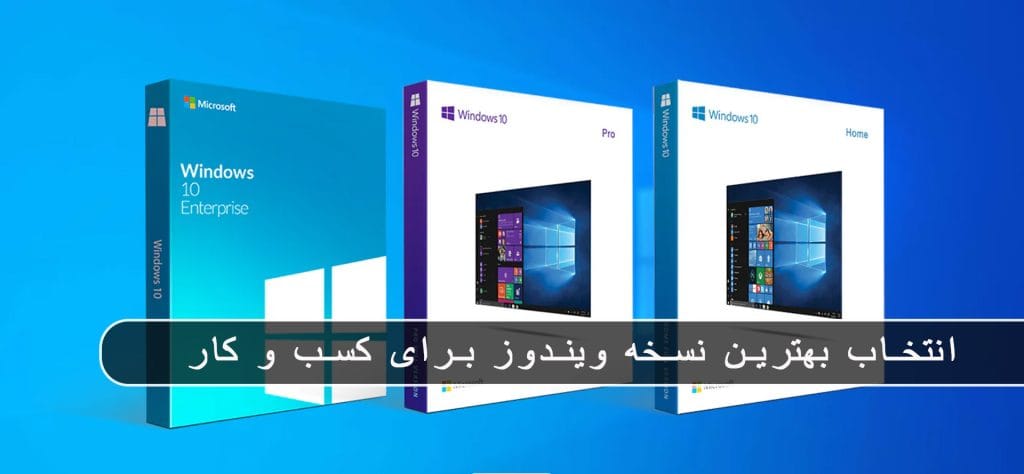
Today, Microsoft Windows is known as one of the most widely used operating systems in business environments, and different versions of it are offered for different needs of companies. When it comes to running a business of any size, having a strong IT platform is essential to help you maximize productivity.
Operating system Windows 10 From Microsoft, it provides a powerful infrastructure for IT operations in organizations and offers a variety of features and tools to support daily business activities. This platform is a successful combination of keeping the traditions of Windows and adding modern features to make it more successful.
Windows 10 It is divided into three main versions: Home, Pro and Enterprise. Choosing the right one between these versions can be confusing at times, as many features overlap. By choosing the right one, you can provide a secure and versatile foundation for your IT setup.
In this article, we will review and compare Windows 10 Pro, Home, and Enterprise editions and what features, capabilities, and limitations each of these editions have that are important to your business. This review will help you choose the right version based on your specific needs and work environment.
✔️ Windows 10 Home
Windows 10 Home is one of the main versions of Windows 10, which is designed to be used at home by ordinary users. This version offers the core features of Windows 10, such as a customizable Start menu, the Cortana voice assistant to help with everyday tasks, the Edge browser for highly secure Internet browsing, and an improved Action Center.
With support for multiple desktops or virtual desktops, Windows 10 Home allows users to manage their programs and files in an orderly and optimal manner. Also, with easy access to Universal Windows Platform (UWP) apps from the Microsoft Store, users can quickly access and use different apps.
Among the notable features of the Home version are the lack of support for Remote Desktop Services and less protection against advanced threats, which may be important for users who need more advanced features. This version is suitable for users who are looking for a simple and user-friendly operating system for home use.
✔️ Windows 10 Pro
Windows 10 Pro is a more advanced version of Windows 10 designed for use in business and professional environments. This version has more features and features of Windows 10 Home and offers professional users features such as device management, advanced security, and various management capabilities.
Windows 10 Pro provides features such as domain membership, which allows users to centrally access and manage devices and users on their local network. Also, this version of Windows supports advanced tools like Hyper-V for virtualization, BitLocker for drive-level encryption, and Remote Desktop for accessing devices remotely.
Overall, Windows 10 Pro is suitable for businesses and professional users who need high security, advanced management tools, and a variety of features. This version of Windows is recommended by Microsoft for upgrading and more optimal performance in business environments.
✔️ Windows 10 Enterprise
Windows 10 Enterprise is an advanced version of Windows 10 that is primarily designed for use in organizations and large companies. This version of Windows offers users much more advanced features and capabilities than the Home and Pro versions, especially in the areas of device management, security, and virtualization.
One of the highlights of Windows 10 Enterprise is the use of Windows Defender Advanced Threat Protection (ATP), which helps companies resist more sophisticated security threats. This version also has features such as DirectAccess to access the internal network without the need for VPN, AppLocker to manage software and virtualization services including App-V and UE-V.
Windows 10 Enterprise also provides advanced management features such as Group Policy Management, Mobile Device Management (MDM), and Azure Active Directory Integration, which allow IT administrators to more effectively take care of the organization's network and various devices and security policies. Apply centrally.
With all these advanced features, Windows 10 Enterprise helps companies to improve in the face of more complex security and management challenges and improve the overall performance of the organization.
Compare how the license works
Compare how the license works
Windows 10 Home users looking for more options for their business needs can easily upgrade their current version to Windows 10 Pro whenever they want. This gives them access to more features and functionality than the Pro version.
But the Enterprise edition of Windows 10 is actually an additional license built on top of the Pro edition to help larger organizations and companies. Using this version requires an active Windows 10 Pro license. Choosing between Enterprise subscription options – such as E3 and E5 – can be confusing for users, as each subscription offers more advanced security features and better performance across the IT ecosystem.
With these Enterprise subscriptions, Microsoft seeks to provide small and medium businesses with flexible access to Windows 10 Enterprise features that are not available in the Pro edition. It includes features such as advanced device management, security and data protection, and more protection capabilities.
Comparison of security features
Comparison of security features
Security in Windows 10 is one of the most important aspects for any organization and business, especially considering the increasing risks of malware attacks in today's digital world. Therefore, choosing the right version of this operating system for implementation in the business environment is very important.
Home version of Windows 10 It is known as a suitable operating system for home users as well as some small businesses because of its features that are easy to use and cover everyday needs. Among these features is Windows Hello, which allows users to log in as quickly and securely as possible using biometric authentication such as a fingerprint scanner or facial recognition.
Device encryption with BitLocker is another important feature that allows users to encrypt their hard drives using strong BitLocker encryption, which helps protect sensitive data if their devices are lost or stolen. Also, firewall and network protection are other features that are present in the home version of Windows 10 and help users to ensure the security of their device and information.
Windows 10 Pro It is specifically designed for commercial use and small and medium businesses and provides valuable features to enhance security and manage devices in business environments. One such feature is BitLocker disk encryption, which helps businesses protect their sensitive data on their devices using BitLocker's strong encryption. This feature becomes more important especially when devices are lost or stolen and prevents access to sensitive information.
Also, Windows 10 Pro comes with an Information Protection (WIP) feature that helps organizations defend against potential data theft across their enterprise applications. WIP controls sensitive information using specific policies to prevent unauthorized disclosure of information.
In addition, Windows 10 Pro provides features such as Assigned Access 8.1, which allows administrators to control what software users have access to, and Windows Hello for Business, which allows companies to To improve security and access to their systems by using advanced authentication solutions.
Windows 10 Enterprise Edition It is designed as an advanced version of features specifically designed to help mid- to large-sized organizations improve their digital security and provide more efficient management. This edition includes all the basic features of Windows 10 Pro, but with additional perks designed specifically for enterprise needs.
One of the prominent features of Windows 10 Enterprise is Credential Guard. Using features such as Secure Boot and virtualization, this tool protects sensitive data through virtualization-based isolation. Credential Guard has the ability to block malicious software's access to sensitive information and helps prevent credential theft attacks such as Pass-the-Hash and Pass-the-Ticket. The tool uses NTLM password hashes and Kerberos ticket-granting tickets, and also protects sensitive domain credentials stored by applications.
Windows 10 Enterprise also offers Device Guard, which is a set of hardware and software features that work together to allow only trusted apps to run on a device. With a zero-trust approach, Device Guard restricts Windows 10 to only run applications that are allowed by business code integrity policies.
With the Enterprise E5 license, businesses can also benefit from Microsoft Defender for Endpoint, an endpoint security platform that helps fight and prevent advanced threats on user devices. This tool provides features such as detecting and responding to attacks and preventing incoming threats, and helps organizations improve their network security and protect their sensitive data.
Below is a list of key security features available in each version of Windows 10.
| Header Cell - Column 0 | Home | Pro | Enterprise |
|---|---|---|---|
| Automatic encryption | ✓ | ✓ | ✓ |
| Device control | ✓ | ✓ | ✓ |
| Application control | ✓ | ✓ | ✓ |
| Windows Hello for Business | ✗ | ✓ | ✓ |
| Windows Information Protection integration | ✗ | ✓ | ✓ |
| BitLocker | ✗ | ✓ | ✓ |
| Resilient File System (ReFS) | ✗ | ✗ | ✓ |
| Credential Guard | ✗ | ✗ | ✓ |
| Device Guard | ✗ | ✗ | ✓ |
| Microsoft Defender for Endpoint | ✗ | ✗ | ✓ |
Comparison of productivity tools
Comparison of productivity tools
In Windows 10, productivity is largely ensured by the variety of features and tools available in all three editions, Home, Pro, and Enterprise. These features include things like Microsoft Search in Windows 10, the Microsoft Edge browser, and the Cortana voice assistant that allow users to easily communicate and increase productivity.
In addition, all versions of Windows 10 benefit from access to OneDrive cloud storage options, which allow users to store their files and information in a secure cloud environment and access them anytime, anywhere. .
Microsoft 365 productivity apps are also an important part of the Windows 10 toolset, which includes software such as Word, Excel, PowerPoint, OneNote, Microsoft Whiteboard, and Windows Ink. Offered as a service, these programs are available in all versions of Windows 10 and allow users to constantly access the latest version of files and information.
Also, Windows 10 Enterprise users can use the SMB Direct feature for fast and energy-efficient data transfer, which is especially useful for transferring large amounts of data with minimal CPU usage. This feature is of great value to organizations and businesses that need to transfer large amounts of data and has better security and performance.
Finally, the Enterprise edition of Windows 10, with features such as persistent storage for applications and sensitive data, enables organizations to take care of their data more effectively and improve the deployment of software that requires high security.
Comparison of management tools
Comparison of management tools
In Windows 10, the Pro and Enterprise editions are suitable editions for organizations and businesses by providing a variety of management and deployment tools, providing a high ability to manage and optimize user environments that cannot be found in the Home edition. These tools are specifically designed to manage devices, install and deploy software, maintain security, and perform effective updates.
A standout feature in these releases is mobile device management, which allows IT administrators to centrally manage users' mobile devices, including enforcing security policies, managing access, and monitoring their usage.
Shared PC Mode is also provided for environments where multiple users need to use the same device. This mode allows IT administrators to apply appropriate security settings for optimal device utilization and user access management.
The Windows Hello for Business feature is also one of the security tools of these versions, which improves the authentication of people and ensures the security of access to devices by using advanced technologies such as face and fingerprint recognition.
The Enterprise edition comes with more features such as Application Virtualization (App-V) and User Experience Virtualization (UE-V). App-V allows users to run applications without installing them directly on their devices, while UE-V allows users to customize settings for a universally uniform user experience.
With all these features, the Pro and Enterprise versions help IT managers to take care of business devices and applications more effectively, provide a more optimized and secure user environment than before, and provide greater resistance to various security threats, especially In environments that require central management and the stability of strict security policies.
| Header Cell - Column 0 | Pro | Enterprise |
|---|---|---|
| Mobile Device Management | ✓ | ✓ |
| Domain Join | ✓ | ✓ |
| Azure Active Directory Join | ✓ | ✓ |
| Microsoft Store for Business | ✓ | ✓ |
| Windows Hello Management | ✓ | ✓ |
| Shared PC Mode | ✓ | ✓ |
| Kiosk Mode | ✓ | ✓ |
| Cortana Management | ✗ | ✓ |
| Windows Store Access Management | ✗ | ✓ |
| Microsoft Dynamic Management | ✗ | ✓ |
| App-V | ✗ | ✓ |
| UE-V | ✗ | ✓ |
| Customer Experience Management | ✗ | ✓ |
| Cortana Management | ✗ | ✓ |
Comparison of design and user experience
Comparison of design and user experience
In Windows 10, all three editions Home, Pro and Enterprise have been improved over the older versions of the Microsoft operating system with similar design and familiar to the end user. These improvements include a customizable start menu and taskbar that provide users with quick access to programs via alphabetical listing or quick search.
Experienced users of older Windows can easily navigate the file system, use the control panel and common options and feel comfortable. For technologists and IT professionals, with many tools and security features, it is possible to manage and deploy the system in a strong and easy way.
The connection between devices in Windows 10 is designed in a smooth and intuitive way that users can easily access files and tools, regardless of the type of device they are using, be it a laptop, desktop, tablet or phone. companion
Business-oriented versions of Windows 10 also benefit from the Windows Update for Business service, which enables managed updates through a central console. This possibility is very useful for organizations and departments to publicly update their systems and use the best security and performance.
With the Enterprise license, in addition to these features, application virtualization tools and user experience are also available to organizations and businesses. These features help them provide the best level of security and management for their devices and applications, and take advantage of the advanced features of this operating system.
In terms of design and features, Windows 10 offers users a seamless and improved experience that allows them to use their systems with ease and high performance, regardless of the type and access of the device they are using. .
Windows 10 Home vs Pro vs Enterprise: Which One to Choose?
Windows 10 Home vs Pro vs Enterprise: Which One to Choose?
Windows 10 Pro improves all the features of Home and provides more advanced tools to help small and medium businesses. With a focus on security and performance, this version of Windows lets you get the most out of your productivity apps and ensure your data is safe.
Windows 10 Pro: For small and medium businesses
Windows 10 Pro improves all the features of Home and provides more advanced tools to help small and medium businesses. With a focus on security and performance, this version of Windows lets you get the most out of your productivity apps and ensure your data is safe.
Windows 10 Enterprise: For large and complex organizations
Windows 10 Enterprise is the best choice for larger organizations that need stronger and more sophisticated security. This version of Windows offers features to keep business and personal data safe, secure deployment of key software, and better management.
Ready for Windows 11: For your future
If you are planning to upgrade to Windows 11, Microsoft has also provided Home and Pro editions of this new operating system. But with Windows 10 continuing to be supported until October 2024, there's no rush to upgrade. At the right time, you can choose between Windows 11 Home and Pro based on your needs.
According to these explanations, the right choice for the version of Windows 10 depends on your needs and goals. Larger organizations and businesses that require more complex security and management are better off moving to Windows 10 Pro or Enterprise, while home users and small businesses can get by with Windows 10 Home.